Layar 3.0 launched: 5 cases to show the power of the platform
We are very proud to present to you version 3.0, with fantastic new tools to enable the already more than 1000 active independent content developers to create AR experiences that go far beyond answering the simple ‘where is…?’ question. This new version allows everybody with basic web development skills to create rich immersive experiences that cannot be replicated on a map, in a traditional browser or in a mobile location based application.
This blogpost explains the new features on a technical level; read on to see five cases to show you what Layar 3.0 can mean for people, organizations and brands.
Architectural showcase: the new Market Hall in Rotterdam
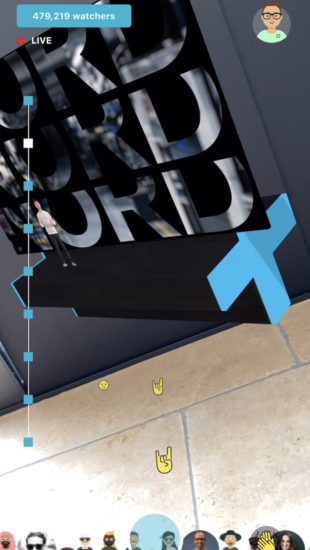
Rotterdam is the Dutch capital of modern architecture. The latest eyecatching project by Provast is the construction of the ‘Market hall‘, a U-shaped building designed by renowned architects MVRDV. Completion is planned for 2014, but visitors and inhabitants can already see how the Market Hall looks like, simply by pointing their phone at its construction site. The 3D model enables the visitor to walk around the building and look inside – as if it was already there.
Layer developed by the Netherlands Architecture Institute (NAi) and in cooperation with IN10
Storytelling: Beatles Tour
Abbey Road in London has become famous for housing the studio where the Beatles recorded most of their albums, including their final and most successful one, “Abbey Road“. Now it is possible to see Ringo, Paul, John and George back on Abbey Road, simply by pointing your phone at the zebra crossing. After having taken some screenshots with your friend standing next to the Beatles in 3D, you can proceed to the next location on the Beatles discovery tour, which covers 42 locations. The next destination only appears after the previous location has been visited.
Layer developed by AugmentReality.co.uk
History comes alive
How often did you wonder ‘how would this place have looked like hundreds of years ago?’, while standing in Rome, Paris or New York. Layar enables re-creation of a long past reality, by displaying ancient photos overlaid on their current location or even by re-constructing the original building. Imagine you can experience the Colosseum back in its original state, see the audience sitting on the benches and hear the lions roar – as if you were teleported to a scene 1000 years ago, simply by holding up your phone and looking around you. Many of such layers are now in development and will go live in 2010.
Art, messages & fun objects
Hold up your phone and see new pieces of art, specifically created for Augmented Reality. Various artists are creating new art and new ways for people to interact with their work. Experience existing or old pieces of art in a completely new context: not in the museum but outside on the city’s main square or in a park. Or see fun objects like zeppelins and UFO’s or even messages and graffiti in unexpected locations.
Layers in development by Winvolve, Superimpose, Hoppala, Muzar.org
B2B & personalization
Layar v3.0 features easy login through cookie support, which enables personalization of your layer. This is useful in various ways. Business-to-Business purposes include a closed fleet tracking layer by Masternaut, only visible for employees. It is also useful for social layers: show only the twitterers you follow, tweet from within the layer, or see check-ins from your friends in Foursquare.
Masternaut own layer, Tweeps around layer developed by Squio
We are extemely proud of what Layar content developers across the globe have already created with Layar v3.0 – in very little time. This sets the stage for a future in which many dreams come true. Where our reality will be enriched with new objects, specifically designed for Augmented Reality. And where completely new worlds will be created.
We are only at the start of a long journey where developers, users and brands can start to explore the possibilities of this new medium – developing engaging experiences with new ways of interaction and service provisioning.
Layar v3.0 can now be downloaded free of charge from the Android Market and is available for all Android 1.5 and 1.6 devices. We will release a compatible version for the Droid as soon as possible. We have almost finished testing for Android 2.0.
A version for the iPhone 3GS is to follow after Apples approval.
Layar is a free application on your mobile phone which shows what is around you by displaying real time digital information on top of reality through the camera of your mobile phone.
Layar is a global application, available for the Iphone 3GS, T-Mobile G1, HTC Magic and other Android phones in all Android Markets. It also comes pre-installed on the Samsung Galaxy in the Netherlands.
How do you use Layar?
By holding the phone in front of you like a camera, information is displayed on top of the camera display view.
For all points of interest which are displayed on the screen, information is shown at the bottom of the screen.
What do you see in the screen?
On top of the camera image (displaying reality) Layar adds content layers. Layers are the equivalent of webpages in normal browsers. Just like there are thousands of websites there will be thousands of layers. One can easily switch between layers by selecting another via the menu button, pressing the logobar or by swiping your finger across the screen.

Source: Spotted by locals
Layar Reality Browser has some cool features which include:
- Unique layer specific icons/markers
- Featured, Popular and Local section
- Search function
- Add layer to favorites
- Map view and list view
- Enhanced AR view with 3D grid
- Accuracy information
- “Take me There” function
- “Share layer” and “screen shot” function: Layar 2.1 update
- 3D objects & Log in for specific layers: Layar 3.0 launch, 5 showcases to show the power of the platform
Who is the team behind Layar?
Layar is run by Raimo van der Klein, Claire Boonstra & Maarten Lens-FitzGerald.
Layar in the Press
General
What is Layar?
Layar is a free application on your mobile phone which shows what is around you by displaying real time digital information on top of reality through the camera of your mobile phone. The technology is called Augmented Reality.
Layar is an enabler. We enable our content partners to offer (branded) Augmented Reality experiences. It’s our role to offer an easy interface to discover and use these Augmented Reality services.
What is Augmented Reality?
Wikipedia says: “Augmented reality (AR) is a field of computer research which deals with the combination of real-world and computer-generated data (virtual reality), where computer graphics objects are blended into real footage in real time.”
We (SPRXmobile) believe AR will break through this year. Layar is an example of markerless AR. This is a more advanced form than web cam based marker AR, which, for example, is used by the US Post Office. Markerless means that it just works and you don’t need a black and white marker in front of the camera view.
What are content layers?
Content layers are the equivalent of web pages in normal browsers. Just like there are thousands of websites, there will be thousands of content layers in our application. A layer is the digital view that is added to the camera view. This is the first time that so many brands use one application to provide an augmented reality service on the mobile phone.
You called yourself the first Augmented Reality browser, but there are already AR apps in Android Market. So what is the difference between you and those apps?
Layar is a browser with many different content layers; this makes us unique and differentiates us from the other AR apps with just one type of content. But we had enough about the confusion about this subject so we removed it. It’s not relevant anyway who was first
How will Layar make money?
We foresee several possible sources of income for Layar. Current sources include: integration fees, licensing fees, sponsoring and hosting/maintenance fees. In the near future there will also be opportunities with premium content layers and advertising.
Where is the Layar team located?
We are based in Amsterdam with an extended team of developers and designers all over the globe.
How are you funded?
We are privately funded.
The Application
Why use it?
Layar is a tool to browse the world. It enables exploration, more informed decisions, serendipity and fun.
How do I get Layar?
You can download Layar from the Android Market and iPhone store.
On which phones is Layar available?
Layar can be used on the iPhone 3GS and any Android phone with GPS and compass. For instance: HTC Magic, HTC Hero, T-Mobile G1 and Samsung Galaxy (pre-installed, The Netherlands only). A complete list of Android phones can be found here.
How does it work?
The Layar application works with GPS and compass to determine location and the direction the phone is facing. The camera input provides the reality.
The location is used to retrieve the layer information with coordinates and other relevant data. This is retrieved from the Layar server where all partner Layar information is collected and processed.
This is then combined, computed and displayed in the ‘active’ layer of the application.
How do I upgrade from Layar version 2.1 to 3.0?
You will get a stardard notification that there is an update available in the store / market, follow the instructions on the phone to upgrade.
How do I upgrade from Layar version 1.0 or 2.0 to version 2.1?
First completely remove the old version of Layar and then install the new version. To remove Layar go to the Settings menu of your phone. Then choose Settings – Applications – Manage applications. Select Layar and press delete.
How do I find content layers?
There are five ways to find a content layer:
1. You can select a layer directly from the list of available layers in the Popular section. This list contains all layers available in your country, ranked by popularity.
2. You can select one of the featured content layers. The Featured list contains the layers that are recommended by the Layar staff.
3. You can choose a layer from your own list of Favorites. This list contains all the layers that you bookmarked and pre-installed bookmarks when applicable.
4. You can search for content layers. Just enter one or more keywords and you will get a list of all the layers containing one of the keywords you entered.
5. You can find local layers in the Local list.